⚡ Автовыдача 24/7КлючРегион: Region freeАртикул: FK-FE3368D7В наличии: 4 шт.
Описание
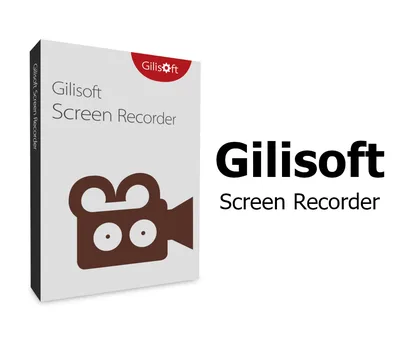
Gilisoft Screen Recorder is a screen recording software for Windows, it captures what you see on screen and what you hear/say simultaneously, and saves them as compressed video file in real-time. Instead of recording screen in a single monitor, there are times that you may want to capture screen activity on dual or multiple monitors that connected to your computer. With the screen recording software you can record webinars, games and Skype videos in HD, and much more in a quick and hassle-free way. The intuitive and easy-to-use software offers a complete suite of tools and options for professional screen capture. Features: Record Screen and WebcamIt can record the entire screen (support multiple monitors), single window or the area of screen your select. It also can record video from wecam or record screen and webcam at the same time. Achieve High-Quality RecordingsRecording high-quality audio and video can sometimes be NOT a challengere. With it you can create professional-like video tutorials and screencasts. Recording Mic and ComputerScreen Recorder can record video with computer sounds, record video with microphone or record screen with audio from your microphone and speakers. Zoom In While RecordingEver seen tutorials and impressed they are able to zoom in and out whilst recording? Screen recorder can adjust the recording area magnify the area of cursor during recording (Maximum 4X). H264 GPU Acceleration EncodingOptimizes recording performance by using a hardware-accelerated H.264/HEVC encoder. It will allow you to record the target in high speed, with a high compression ratio and excellent quality. Popular Video Output FormatsYou have a wide selection of different HD popular video formats: MP4, AVI, WMV, FLV, H264 and more. Choose the one that best fits your needs. Draw on Video/Add Logo to VideoFor placing your own logo image on the video for showing who the creator is, you can record video with text watermark or image watermark. Draw on the video during the
Как активировать
Загрузите пробную версию отсюда. После завершения установки запустите программное обеспечение. Нажмите кнопку «Зарегистрироваться». Введите свой адрес электронной почты и приобретенный вами регистрационный код. Нажмите кнопку «Зарегистрироваться».
СБП, банковская карта или SberPay. Цена в каталоге окончательная —
ничего сверху не добавляется. Чек приходит на почту.
⚡ Выдача сразу после оплаты
Ключ приходит автоматически, круглосуточно и без ожидания продавца.
Обычно это занимает одну-две минуты.
🌍 Регион активации
Перечень доступных регионов указан выше на этой странице. Оплачивая
заказ, вы подтверждаете, что ознакомились с ним. Если ключ не
активировался в регионе, который здесь указан как доступный, —
возвращаем деньги.
🔄 Если ключ не активировался
Напишите в тот же день и приложите запись экрана: в кадре должны
быть логин учётной записи, сам ключ в поле ввода и полный текст ошибки,
непрерывно и без монтажа. Заменим ключ или вернём деньги.
Подробнее о гарантии.
🚫 Когда замена не производится
Ключ активирован успешно. Выбран вариант не своего региона при том,
что регион указан здесь. Товар из категории случайных наборов — их
состав заранее неизвестен, и это написано в описании.
📄 Продавец
ИП Богушевский Илья Андреевич, ИНН 890417932502. Работаем по
публичной оферте, ключи получены от официальных
дистрибьюторов.