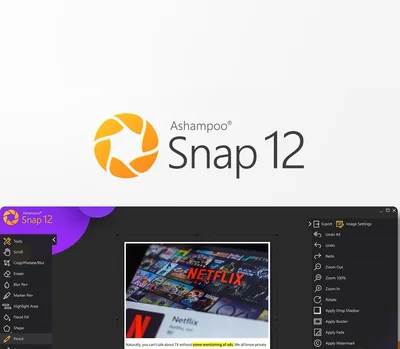
Ashampoo Snap 12 Activation (ключ)
Описание
Как активировать
Регионы активации
Похожие товары
 McAfee Total Protection 2026 Key (1 Year / 10 Devices)
800 ₽
McAfee Total Protection 2026 Key (1 Year / 10 Devices)
800 ₽
 ESET Home Security Essential EU Key (1 Year / 3 Devices)
900 ₽
ESET Home Security Essential EU Key (1 Year / 3 Devices)
900 ₽
 Norton 360 2024 EU Key (1 Year / 1 Device)
910 ₽
Norton 360 2024 EU Key (1 Year / 1 Device)
910 ₽
 MS Office 2019 Professional Plus ISO
1810 ₽
MS Office 2019 Professional Plus ISO
1810 ₽
 Windows 11 Home Retail
1870 ₽
Windows 11 Home Retail
1870 ₽
 MS Office 2024 Professional Plus LTSC
1850 ₽
MS Office 2024 Professional Plus LTSC
1850 ₽
 Adobe Creative Cloud Photography Plan - 3 Months Subscription
910 ₽
Adobe Creative Cloud Photography Plan - 3 Months Subscription
910 ₽
 Adobe Creative Cloud Pro - 3 Months Subscription
4930 ₽
Adobe Creative Cloud Pro - 3 Months Subscription
4930 ₽
 Adobe Creative Cloud Photography Plan - 1 Month Subscription
480 ₽
Adobe Creative Cloud Photography Plan - 1 Month Subscription
480 ₽
 Avast Driver Updater 2025 Key (1 Year / 1 PC)
660 ₽
Avast Driver Updater 2025 Key (1 Year / 1 PC)
660 ₽
 McAfee AntiVirus 2022 Key (1 Year / 1 PC)
270 ₽
McAfee AntiVirus 2022 Key (1 Year / 1 PC)
270 ₽
 CorelDRAW Technical Suite 2024 Key (3 Devices)
120 ₽
CorelDRAW Technical Suite 2024 Key (3 Devices)
120 ₽
Условия покупки
СБП, банковская карта или SberPay. Цена в каталоге окончательная — ничего сверху не добавляется. Чек приходит на почту.
Ключ приходит автоматически, круглосуточно и без ожидания продавца. Обычно это занимает одну-две минуты.
Перечень доступных регионов указан выше на этой странице. Оплачивая заказ, вы подтверждаете, что ознакомились с ним. Если ключ не активировался в регионе, который здесь указан как доступный, — возвращаем деньги.
Напишите в тот же день и приложите запись экрана: в кадре должны быть логин учётной записи, сам ключ в поле ввода и полный текст ошибки, непрерывно и без монтажа. Заменим ключ или вернём деньги. Подробнее о гарантии.
Ключ активирован успешно. Выбран вариант не своего региона при том, что регион указан здесь. Товар из категории случайных наборов — их состав заранее неизвестен, и это написано в описании.
ИП Богушевский Илья Андреевич, ИНН 890417932502. Работаем по публичной оферте, ключи получены от официальных дистрибьюторов.