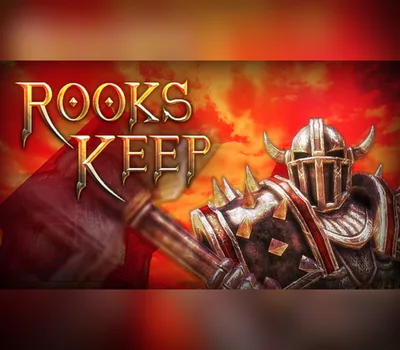
Deathmatch. AI & Multiplayer. Chess. Decapitation.Descend into a brutal tournament where factions of sinister knights and grotesque beasts battle for domination in bloody arena matches and furious melee brawls. Crush opponents with hammers and shields, rend flesh with razor sharp claws and slice off heads with swords and axes.In Rooks Keep, players will maim their competitors in both a selection of deathmatch-arena game-modes such as 'Deathmatch', 'Team-Deathmatch', 'Conversion', 'Chess', 'Last-Man-Standing' and 'Combat Chess'. Play solo, jump into multiplayer matches, or add AI opponents to squash under-foot in both single and multiplayer. We even support 3rd party Chess engines.The game is set in a uniquely styled fantasy world, where factions battle ceaselessly for your entertainment. Features Arena gameplayPlayers will enter into a variety of game-modes, such as Deathmatch, Last-Man-Standing and Conversion(kill enemies to convert them to your team), and battle across a variety of maps with many available options and mutators. Melee combatThe focus of Rooks Keep is on the fantasy melee combat system, featuring quick and heavy attacks, parrying, blocking, dodging and special abilities and skills. ChessPlayers can play in both Classic Chess and the unusual Combat Chess mode, where players have the opportunity to fight to retain their place on the board if attacked. AI/LAN/OnlineRooks Keep presents players with single-player solely against AI bots, LAN and online. Also supported are 3rd party Chess engines. Even hot-seat Chess is available. Unreal & mod supportBuilt on the Unreal® Development Kit™, Rooks Keep offers extensive mod support. Players will be able to use the included UnrealEd tool to build their own maps and mods.
Как активировать
Перейдите по адресу: http://store.steampowered.com/ и загрузите клиент STEAM. Нажмите «Установить Steam» (в правом верхнем углу). Установите и запустите приложение, войдите в систему, используя имя своей учетной записи и пароль (создайте его, если у вас его нет). Следуйте этим инструкциям, чтобы активировать новую розничную покупку в Steam: Запустите Steam и войдите в свою учетную запись Steam. Нажмите Меню игр. Выберите «Активировать продукт в Steam». Следуйте инструкциям на экране, чтобы завершить процесс. После успешной проверки кода перейдите на вкладку «МОИ ИГРЫ» и начните загрузку.
СБП, банковская карта или SberPay. Цена в каталоге окончательная —
ничего сверху не добавляется. Чек приходит на почту.
⚡ Выдача сразу после оплаты
Ключ приходит автоматически, круглосуточно и без ожидания продавца.
Обычно это занимает одну-две минуты.
🌍 Регион активации
Перечень доступных регионов указан выше на этой странице. Оплачивая
заказ, вы подтверждаете, что ознакомились с ним. Если ключ не
активировался в регионе, который здесь указан как доступный, —
возвращаем деньги.
🔄 Если ключ не активировался
Напишите в тот же день и приложите запись экрана: в кадре должны
быть логин учётной записи, сам ключ в поле ввода и полный текст ошибки,
непрерывно и без монтажа. Заменим ключ или вернём деньги.
Подробнее о гарантии.
🚫 Когда замена не производится
Ключ активирован успешно. Выбран вариант не своего региона при том,
что регион указан здесь. Товар из категории случайных наборов — их
состав заранее неизвестен, и это написано в описании.
📄 Продавец
ИП Богушевский Илья Андреевич, ИНН 890417932502. Работаем по
публичной оферте, ключи получены от официальных
дистрибьюторов.