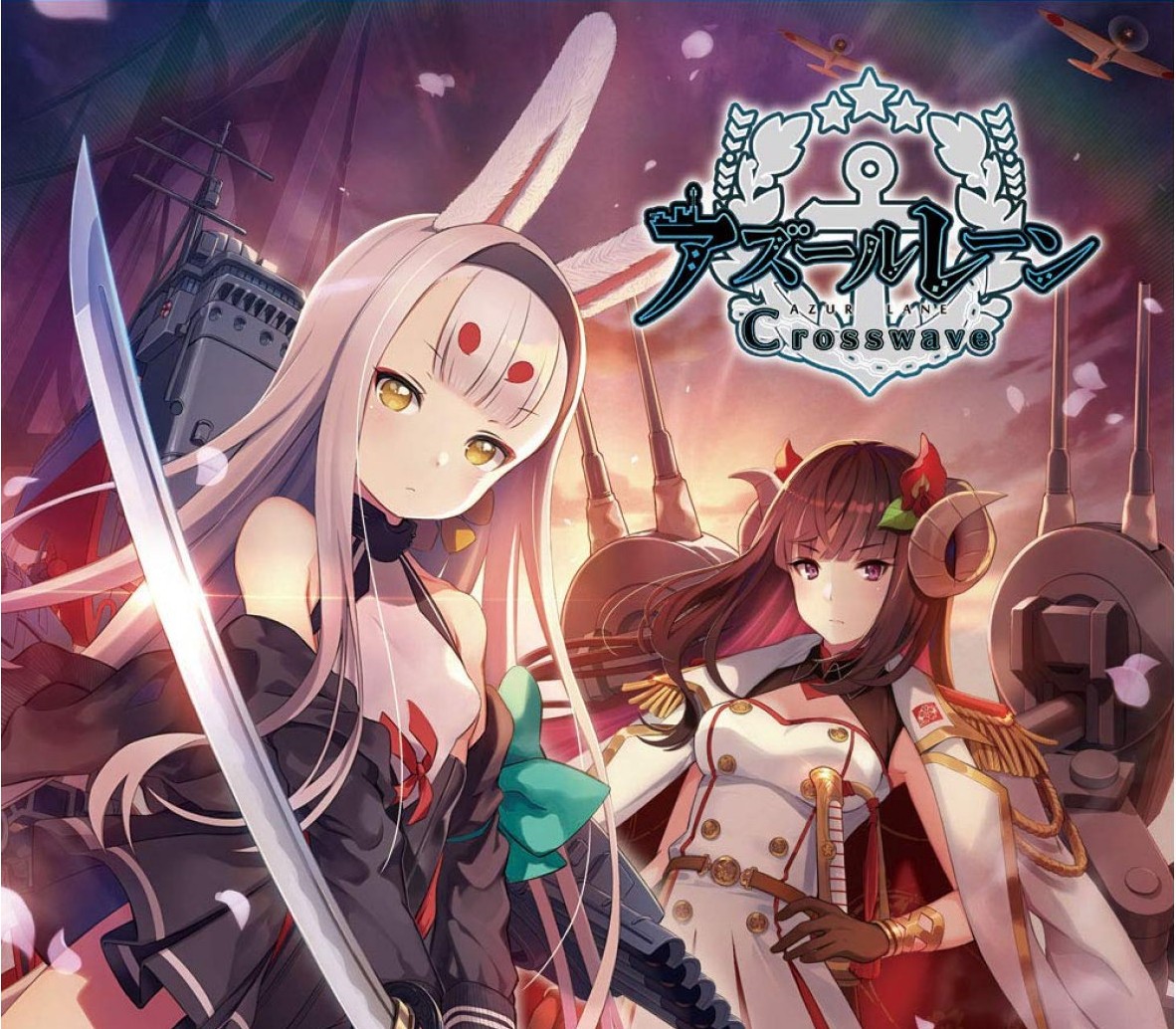
Taking place in a world where personified battleships from across the globe duke it out, Azur Lane: Crosswave takes the spirit of the mobile game and uses the Unreal Engine to bring its characters to life in a massive 3D world, so fans can see them like they’ve never seen them before. The in-game character designs will also feature cel-shaded anime style 3D graphics that stay true to the original art. Enter the four nations: Eagle Union, Royal Navy, Iron Blood, and Sakura Empire. The military of each nation marched towards yet another season of diligent training. Suddenly, in the middle of their normal routines, a Joint Military Exercise was enacted. In this monumental event, a select few from each nation were chosen, causing all of them to train even harder in anticipation of rigourous battles ahead. But how did this event come to exactly? Are there ulterior motives at play? Features Retrofitted in 3D – Azur Lane mobile, the beloved side-scrolling shooter, is now retrofitted for the Steam as a cel-shaded, 3D action shooter with the help of Unreal Engine! Choose from 25+ characters and 30+ support characters to help lead your fleet to victory. Azur Lane: Crosswave also introduces 2 brand-new playable characters, Shimakaze and Suruga! 4 Modes to Choose From – Choose from 4 different modes: Story, Extreme Battle, Photo, or Episode Mode. Story Mode goes through 7 riveting chapters in the footsteps of newcomers, Shimakaze and Suruga. In Extreme Battle Mode, choose from 100+ challenging fleets to battle for rare items and special materials. In Photo Mode, you can pose characters, change facial expressions, alter backgrounds, and camera angles to create a picturesque moment. Episode Mode includes 50+ sub-stories that deliver bonus character backgrounds! Arm Your Armada – Before setting sail, beef up your characters by equipping them with rare items found after a successful battle or by crafting items at Akashi’s Laboratory. Here, Commanders can exchange blueprints to crea
Как активировать
Перейдите по адресу: http://store.steampowered.com/ и загрузите клиент STEAM. Нажмите «Установить Steam» (в правом верхнем углу). Установите и запустите приложение, войдите в систему, используя имя своей учетной записи и пароль (создайте его, если у вас его нет). Следуйте этим инструкциям, чтобы активировать новую розничную покупку в Steam: Запустите Steam и войдите в свою учетную запись Steam. Нажмите Меню игр. Выберите «Активировать продукт в Steam». Следуйте инструкциям на экране, чтобы завершить процесс. После успешной проверки кода перейдите на вкладку «МОИ ИГРЫ» и начните загрузку.
СБП, банковская карта или SberPay. Цена в каталоге окончательная —
ничего сверху не добавляется. Чек приходит на почту.
⚡ Выдача сразу после оплаты
Ключ приходит автоматически, круглосуточно и без ожидания продавца.
Обычно это занимает одну-две минуты.
🌍 Регион активации
Перечень доступных регионов указан выше на этой странице. Оплачивая
заказ, вы подтверждаете, что ознакомились с ним. Если ключ не
активировался в регионе, который здесь указан как доступный, —
возвращаем деньги.
🔄 Если ключ не активировался
Напишите в тот же день и приложите запись экрана: в кадре должны
быть логин учётной записи, сам ключ в поле ввода и полный текст ошибки,
непрерывно и без монтажа. Заменим ключ или вернём деньги.
Подробнее о гарантии.
🚫 Когда замена не производится
Ключ активирован успешно. Выбран вариант не своего региона при том,
что регион указан здесь. Товар из категории случайных наборов — их
состав заранее неизвестен, и это написано в описании.
📄 Продавец
ИП Богушевский Илья Андреевич, ИНН 890417932502. Работаем по
публичной оферте, ключи получены от официальных
дистрибьюторов.